
Agent Session Manager
Keep track of many simultaneous AI agent sessions in one native macOS app, with tabs and panes that keep projects and tasks organized.
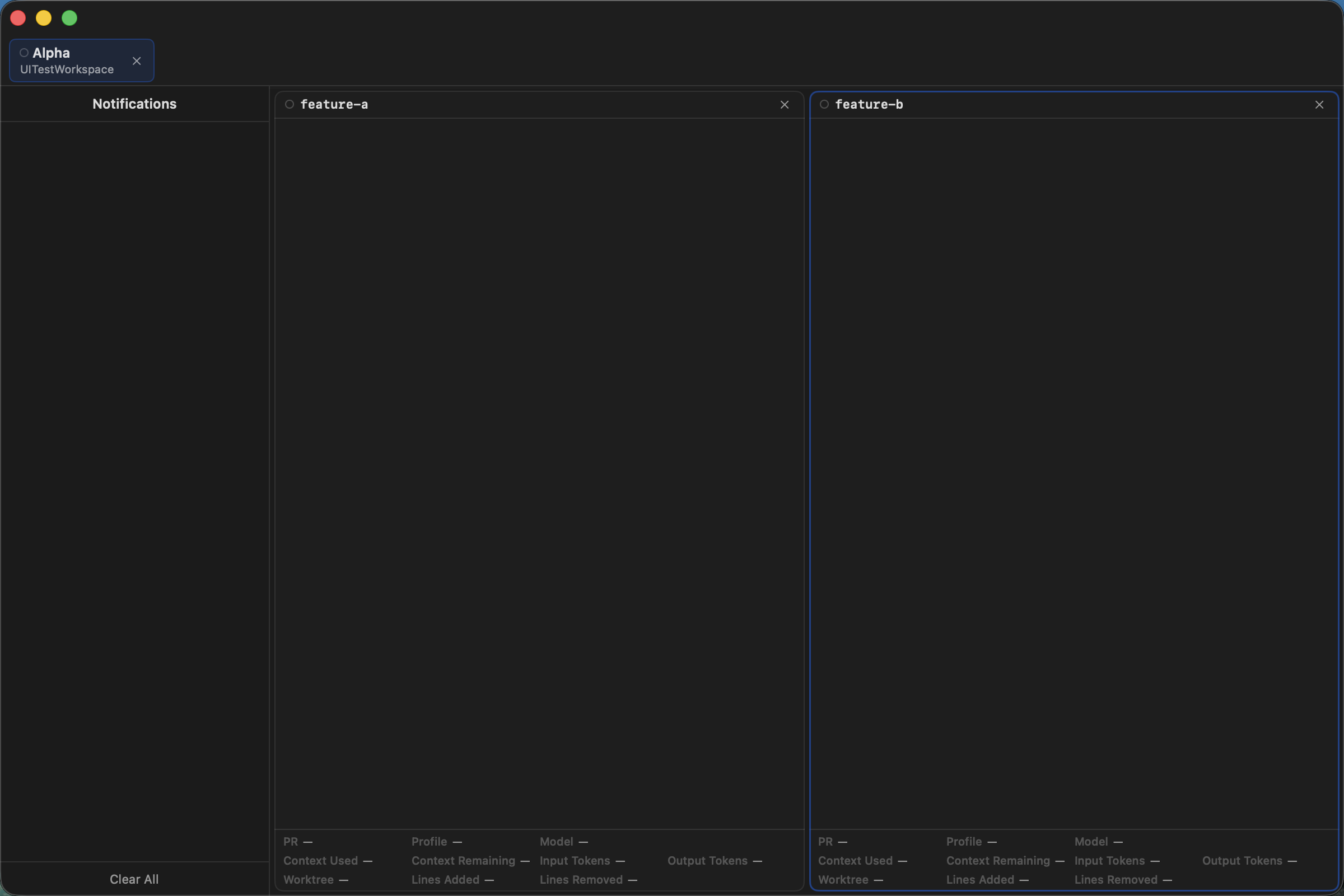
Why use it
Keep every session in view
When several agents are working at once, Agent Session Manager keeps their sessions together in one window so you can see what is running, switch between tasks, and stay organized without managing separate terminal windows.
From download to your first session
- Download the latest DMG, mount it, and drag the app to
/Applications. - Launch the app, then create a tab with ⌘T and a pane with ⌘P.
- Choose an agent tool and session name in the New Pane sheet.
- Use Settings to configure Harnesses, profiles, status information, and notifications.
Each pane is a separate terminal session inside the tab, so you can keep multiple tasks visible and active at the same time.
Supported tools
Use the agent tool that fits your workflow
Agent Session Manager supports Claude Code, Codex, Cursor, and OpenCode. Choose the tool for each pane when you create it, then customize its available options in Settings → Harnesses.
Browse the user guides for installation, first launch, core concepts, daily work, and tool configuration.
At a glance
Core workflow
Explore